


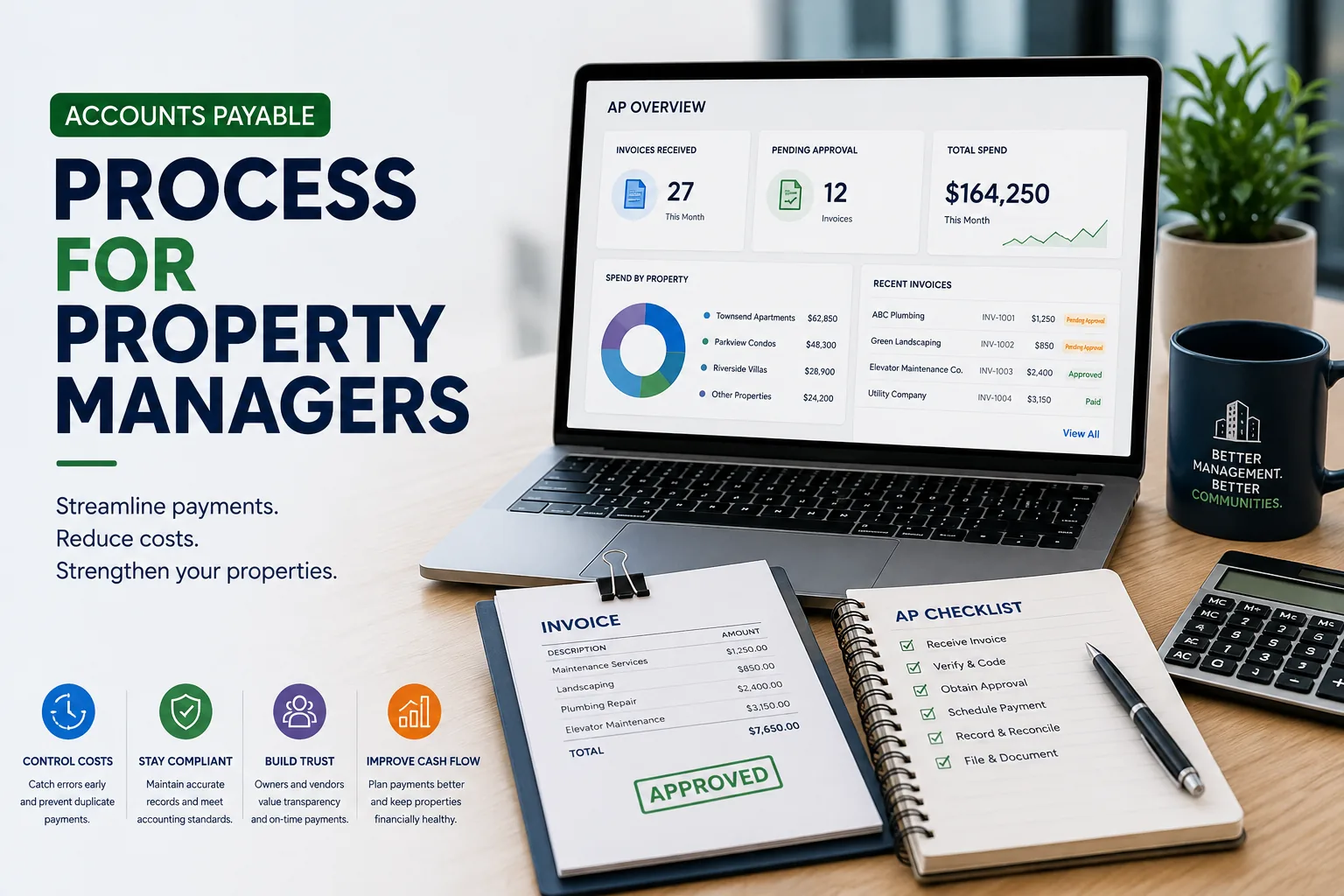
A property management accounts payable process is the defined workflow a management company uses to receive, verify, code, approve, and pay vendor invoices across multiple properties. It assigns each invoice to the correct property and budget, routes it for approval, and documents every decision, giving managers and owners a clear, auditable record of every payment.
Managing accounts payable is difficult enough as it is. But if you’re scaling? The stress (and errors) compound as your management portfolio grows.
Each property may have its own vendors, budgets, approval rules, and bank accounts. Invoices arrive through different channels, while managers balance urgent repairs with recurring expenses and owner expectations.
A well-designed property management accounts payable process gives every invoice a clear path from receipt to payment. It also creates a dependable record of who reviewed the charge, which property should pay it, and when the payment was released. The result is better visibility for managers and more confidence for owners or board members.
This guide explains how to structure the process, improve invoice approvals, strengthen internal controls, and choose useful accounts payable KPIs.
Why Property Management Accounts Payable Needs a Defined Process
Property management creates accounting complexity that many general businesses do not face. A single management company may oversee separate legal entities, reserve accounts, operating accounts, and approval groups. One vendor can also serve several properties under different contracts.
Reserve and operating accounts also need their own coding logic so an invoice never draws from the wrong fund; see our guide to HOA reserve funds for how to keep those separate.
Without a consistent process, invoices can be coded to the wrong property, approved outside budget, or paid after the due date. Duplicate submissions are harder to spot. Managers may also spend hours searching email threads when an owner asks who authorized a charge.
A defined workflow reduces these gaps by standardizing how invoices enter the system and how each decision is documented. It should be simple enough for routine expenses while preserving extra review for unusual or high-value charges.
The Accounts Payable Process for Property Managers
The details will vary by portfolio, but a reliable accounts payable process usually follows the sequence below.
1. Receive and Capture the Invoice
Direct invoices into a consistent intake channel. Record the vendor, invoice number, amount, due date, property, and supporting documents. Centralized capture lowers the chance that an invoice remains in an individual manager’s inbox.
2. Confirm the Vendor and Expense
Verify that the vendor is approved and that the goods or services were received. Review the contract, work order, or purchase authorization when one exists. For recurring services, compare the invoice with the agreed rate and service period.
A documented work order system makes this verification step faster, especially for maintenance invoices; see our guide to work order software for HOAs.
3. Code the Invoice
Assign the correct property, general ledger account, department, and budget category. Clear coding standards help financial reports remain consistent across the portfolio.
4. Route the Invoice for Approval
Send the invoice to the appropriate reviewer based on property, expense type, and dollar threshold. The invoice approval workflow should show the current approver and the date of each decision.
5. Resolve Exceptions
Pause invoices with missing documentation, unexpected price changes, duplicate numbers, or unclear property assignments. Keep questions attached to the invoice record so the final decision remains easy to audit.
6. Schedule and Release Payment
Select the payment date according to the due date, available cash, approval status, and payment terms. Payment release should require the designated authorization for the relevant account.
7. Reconcile and Retain Records
Match completed payments to the bank activity and general ledger. Store the invoice, approval history, payment confirmation, and related documentation under the property’s retention policy.
How to Build an Effective Invoice Approval Workflow
An effective invoice approval workflow assigns responsibility before an invoice arrives. Approval rules can reflect the property, expense category, contract status, and invoice value. A routine landscaping invoice may follow a short path, while a large capital repair may require review from a senior manager or board representative.
Set approval thresholds in writing and define who serves as a backup when the primary reviewer is unavailable. Escalation reminders can keep invoices from sitting untouched as due dates approach. Every approval, rejection, and request for clarification should be time-stamped.
For purchases that use formal purchase orders, a three-way match in accounts payable compares the purchase order, receipt or service confirmation, and supplier invoice. The match helps confirm that the amount billed aligns with what was authorized and delivered.
Accounts Payable Best Practices for Property Management
- Centralize invoice intake. Ask vendors to use one approved submission method and publish clear instructions for each property.
- Maintain accurate vendor records. Keep contact details, tax documentation, insurance records, payment terms, and approved payment information current.
- Use consistent coding rules. Create a shared chart of accounts and document how common property expenses should be classified.
- Set approval thresholds. Match review requirements to invoice value and risk. Higher-value or unusual expenses should receive additional scrutiny.
- Review vendor statements. Compare statements with recorded invoices and payments to identify missing bills or unapplied credits.
- Schedule payments deliberately. Use due dates and cash availability to plan payment runs while preserving any worthwhile early-payment discounts.
- Separate routine and exception work. Allow standard invoices to move efficiently and direct discrepancies into a visible resolution queue.
- Close the loop after payment. Reconcile bank activity promptly and retain a complete record for reporting and audit requests.
Accounts Payable Internal Controls and Fraud Prevention
Accounts payable internal controls protect property funds and make errors easier to detect. The control environment should reflect the size of the team, the value of transactions, and the authority granted by each owner or association.
Segregation of duties is a central safeguard. When staffing permits, the person who creates or changes a vendor should differ from the person who approves invoices or releases payments. Bank reconciliation should also receive an independent review.
- Require independent verification for changes to vendor bank information.
- Restrict system permissions according to each employee’s responsibilities.
- Use documented approval limits for every property and bank account.
- Review duplicate invoice numbers, round-dollar charges, and unusual payment timing.
- Reconcile bank accounts regularly and investigate outstanding items.
- Preserve an audit trail for vendor edits, approvals, and payment releases.
A clean audit trail also supports broader HOA financial transparency with owners and board members, not just internal control.
Preparing for an Accounts Payable Audit
An accounts payable audit is easier when documentation is complete and stored consistently. Auditors or ownership representatives may request invoices, approval records, vendor agreements, payment confirmations, and bank reconciliations. A searchable audit trail can reduce the time required to assemble the sample and answer follow-up questions.
Before an audit or financial review, check for gaps in invoice documentation, stale outstanding payments, inactive vendors, and changes to vendor payment details. Resolve exceptions while the supporting information is still accessible.

In-House Accounts Payable vs. Accounts Payable Outsourcing
Accounts payable outsourcing can help a property management company add processing capacity or standardized procedures. An in-house approach can give the team closer day-to-day control and more direct knowledge of property operations. The right model depends on transaction volume, staffing, portfolio complexity, and the level of control the company wants to retain.
If the work is outsourced, define the division of responsibilities in writing. The property management company should retain appropriate authority over vendor approval, payment authorization, bank access, and performance monitoring. Service-level expectations should cover processing time, exception handling, reporting, and data access.
Accounts Payable KPIs to Track
Accounts payable KPIs help managers see whether the process is timely, accurate, and controlled. Choose measures that lead to a clear operational response. Useful options include:
- Invoice cycle time: Average time from invoice receipt to final approval or payment.
- On-time payment rate: Percentage of invoices paid by the agreed due date.
- Exception rate: Share of invoices that require correction, clarification, or manual intervention.
- Cost per invoice: Total AP processing cost divided by the number of invoices handled.
- Duplicate payment rate: Percentage or value of payments identified as duplicates.
- Early-payment discount capture: Value of available discounts that the organization successfully uses.
- Approval aging: Number and value of invoices waiting at each approval stage.
- Unreconciled payment count: Payments that have not been matched to bank and ledger records within the expected period.
Review KPIs by property, portfolio, and time period when the data supports it. A portfolio-wide average can hide a property with slow approvals or frequent exceptions. Trends are usually more useful than a single month’s result.
For a wider view of what to measure beyond accounts payable, see our guide to KPIs for property managers.
Benefits of Accounts Payable Automation
The key benefits of accounts payable automation come from reducing repetitive handling and making work visible. Digital invoice capture can shorten intake time. Rules can route invoices according to property and approval limit, while reminders can prompt reviewers before a due date passes.
Automation can also improve consistency by applying required fields and preserving a complete decision history. Managers gain a clearer view of invoices awaiting approval, exceptions that need attention, and upcoming payments. Any automated workflow still needs documented controls, accurate vendor data, and human review for unusual transactions.
If you're evaluating dedicated tools for this, see our roundup of the best rental property accounting software for landlords.
How to Improve Your AP Process
Start by mapping the current path of an invoice from arrival through reconciliation. Record every handoff, approval, and system involved. Then identify where invoices wait, where information is re-entered, and where the team loses visibility.
Prioritize changes that address the largest source of delay or risk. A centralized intake channel may solve missing invoices. Clear approval thresholds may reduce confusion. Better reporting may reveal bottlenecks that were previously hidden.
Document the revised process, assign an owner, and review the selected KPIs after implementation. Adjust the workflow as portfolio size, staffing, or owner requirements change.
AP is only one piece of the broader financial picture. For HOA communities, ManageCasa's HOA management software brings invoicing, budgeting, and reserve tracking into one system. For rental portfolios, the rental management software applies the same approach to owner statements and maintenance billing. Learn more about property management on the ManageCasa homepage.
Bring Property Accounting Into One Connected System
If you have a large or growing portfolio, you’re busy enough with resident requests and putting out first. Your accounting system should reduce stress and save time, not create new issues. And no, spreadsheets are not an accounting system.
While Quickbooks and accounting software can be great for bookkeeping, they weren’t built for the specific challenges property and community managers face.
The solution is a real property management software, built to save community managers time. ManageCasa brings invoices, approvals, payments, and property accounting together so your team can keep every transaction organized and visible.
Schedule a demo to see how ManageCasa can support your portfolio.
Frequently Asked Questions
What is the accounts payable process in property management?
The accounts payable process in property management is the workflow a company uses to receive, verify, code, approve, and pay vendor invoices across multiple properties. It gives every invoice a documented path from receipt to payment, with a clear record of who approved each charge.
What is the first step in the accounts payable process?
The first step is capturing the invoice in a centralized intake channel, recording the vendor, amount, due date, property, and supporting documents before the invoice moves to review. Centralized capture keeps invoices from sitting in an individual manager's inbox.
What is a three-way match in accounts payable?
A three-way match compares the purchase order, the receipt or service confirmation, and the vendor invoice to confirm the billed amount matches what was authorized and delivered. It applies to purchases that use formal purchase orders.
How can property managers automate the accounts payable process?
Property managers can automate accounts payable by digitizing invoice capture, routing invoices by property and approval threshold, and setting reminders ahead of due dates. Automation still needs documented controls and human review for unusual transactions.
What accounts payable KPIs should property managers track?
Property managers should track invoice cycle time, on-time payment rate, exception rate, cost per invoice, and duplicate payment rate to see where the process is slowing down. Reviewing KPIs by property, not just portfolio-wide, helps surface problem locations.

Content Writer
Patrick Bohan is a content strategist focused on property management technology, HOA operations, and real estate. A Cornell graduate, he began his career at UBS covering housing markets, homeownership policy, and financial regulation experience that now informs his research driven approach to proptech content. Today he bridges the gap between software teams and the practitioners who use them, producing practical resources on community associations, rental operations, and accounting workflows for property managers.